 EasyAdminBlazor


Error Log
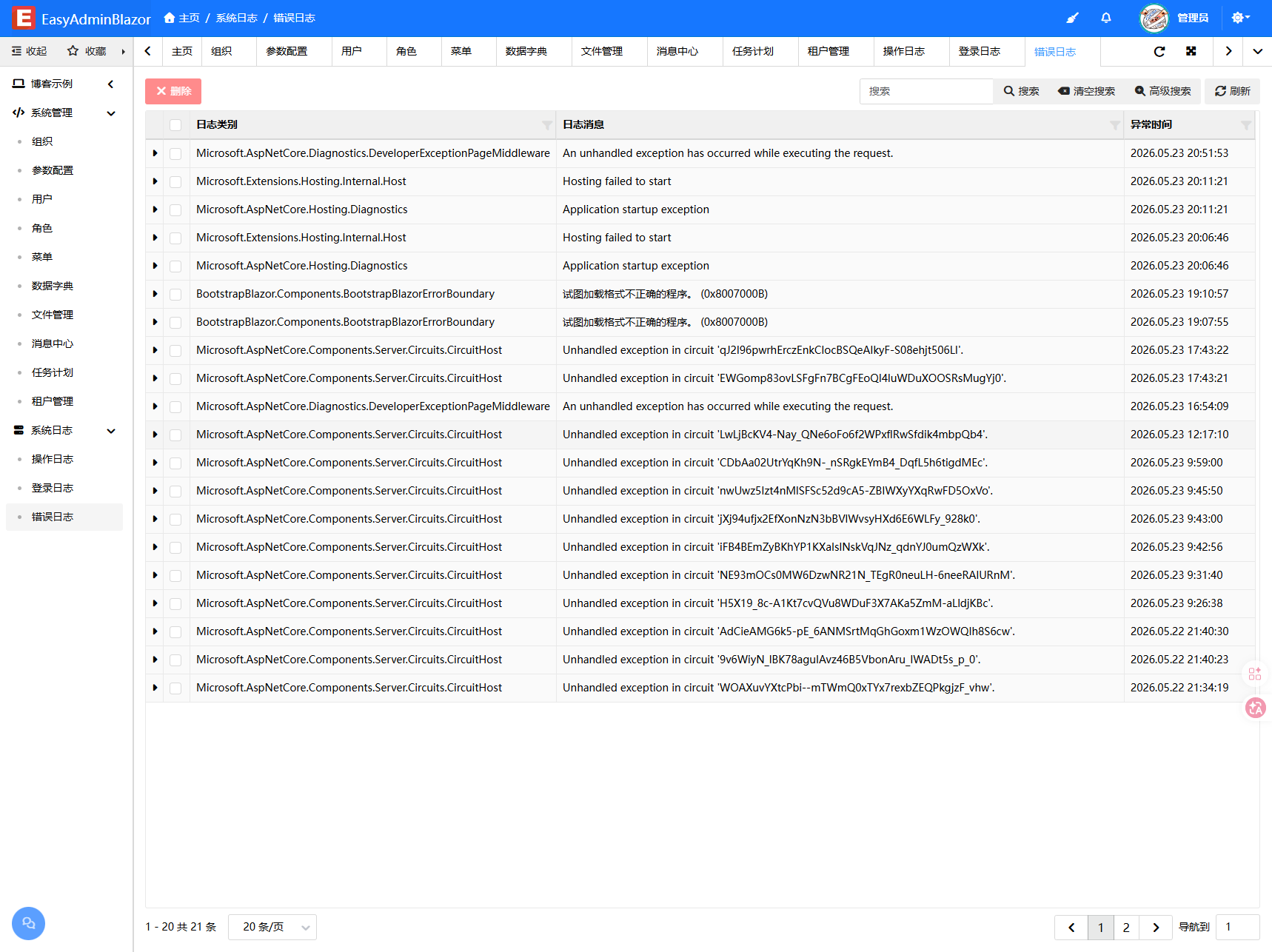
Overview
The Error Log module automatically records exceptions and errors generated during system operation. Each log entry includes the error level, source category, error description, and complete exception stack trace. Through this module, developers and运维 personnel can quickly locate and troubleshoot system issues. This module is read-only and does not support add, edit, or delete operations.
Usage
Accessing the Error Log Page
Navigate to "System Management" → "Error Log" in the system navigation bar.
Viewing the Error List
The page displays error logs in a table format. Click on a row to expand and view detailed exception stack trace information.
Filtering Logs
Use the search box to filter by keywords, or enable advanced search to filter by log level, source, time range, and other criteria.
Interface Description
List Columns
- Level: Error level (Error / Warning / Info)
- Source: Log source category
- Message: Error description
- Timestamp: Time the error occurred
Detail Panel
Click on a row to expand and display the complete exception stack trace (Exception field content) for troubleshooting.
Related Entity
SysLog — Error log entity