 EasyAdminBlazor


Role Management
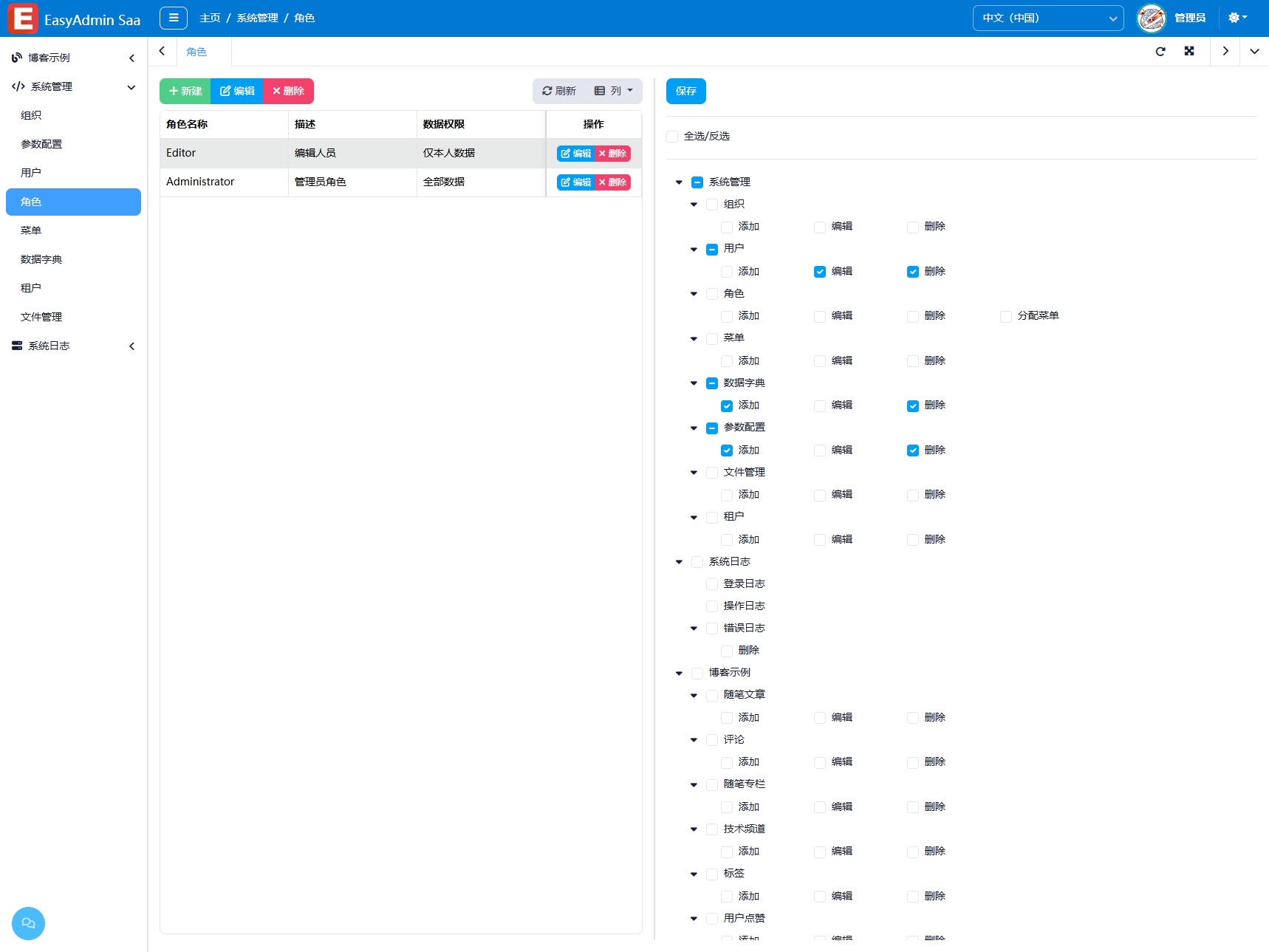
Overview
The Role Management module is used to define roles and their permissions within the system. A role is a collection of permissions. By assigning roles to users, you can efficiently control access to system functions and data. A user can have multiple roles, and a role can be assigned to multiple users, enabling flexible user permission management.
Usage
Accessing the Role Management Page
Navigate to "System Management" → "Role Management" in the system navigation bar.
Viewing the Role List
The page displays all roles in a table format, showing the role name, description, and administrator flag.
Adding a Role
- Click the "Add" button to open the edit window.
- Fill in the role name and description.
- If the role should have all permissions (unrestricted by menu permissions), check the "Administrator" flag.
- In the "Function Menu" tab, check the menus accessible to this role. Supports select all/deselect all, with child menus linked to parent menus.
- Click "Save" to complete.
Editing a Role
- Find the target role and click the "Edit" button.
- Modify the role information or adjust menu permissions.
- Click "Save".
Deleting a Role
- Select the role(s) to delete and click the "Delete" button.
- Administrator roles (
IsAdministrator = true) cannot be deleted. - After deleting a role, users with that role will lose the permissions granted by it.
Quick Menu Permission Assignment
Click on any role row in the list, and the system will automatically load the role's menu permission tree. You can adjust the selections directly in the list and save.
Interface Description
Role List
- Name: Role name
- Description: Role description
- Administrator: Whether it has all permissions
Edit Dialog
Contains two tabs:
- Basic Settings: Role name, description, administrator flag
- Function Menu:
AdminMenuTreemenu permission tree, check to assign permissions
Related Entity
SysRole— Role entity, containingName,Description,IsAdministrator,Menusand other fields