 EasyAdminBlazor


Organization Management
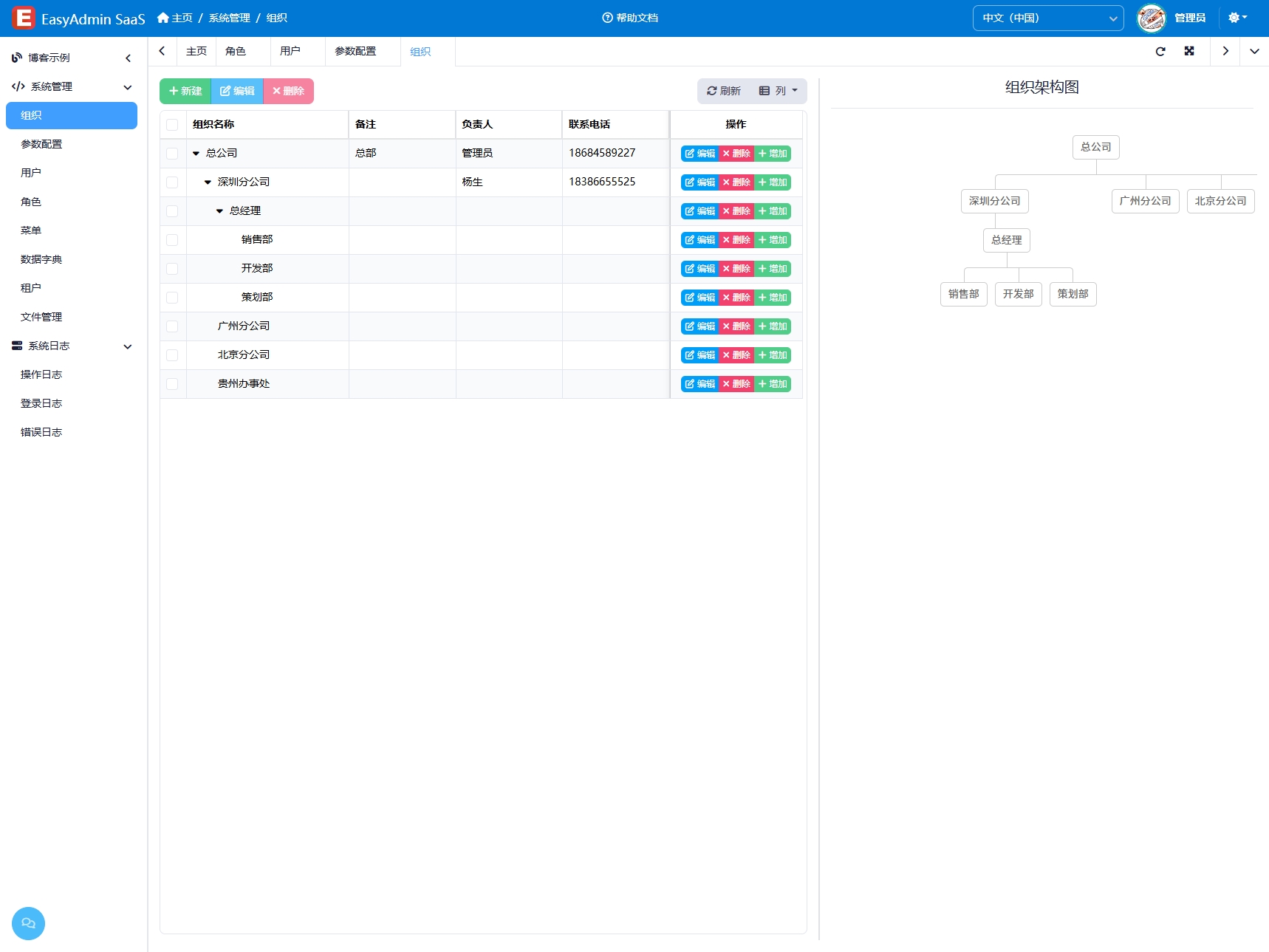
Overview
The Organization Management module is used to manage the company's departmental structure, displaying organizational relationships in a tree hierarchy. Through this module, administrators can flexibly create and adjust department structures and assign responsible persons for each department, enabling digital management of the enterprise's organizational structure. The organization is the foundation of data permissions — a user's departmental affiliation determines their operable data scope.
Usage
Accessing the Organization Management Page
Navigate to "System Management" → "Organization Management" in the system navigation bar.
Viewing the Organization Tree
The page displays all departments in a tree table format. Expand/collapse nodes to view sub-departments. Each department node shows the department name, responsible person, sort order, and status.
Adding a Department
- Click the "Add" button above the list to open the department information entry window.
- Fill in the department name.
- Select the parent department (leave empty to create a top-level department).
- Select the responsible person (click the selector to open a user selection dialog).
- Set the sort order and whether it is enabled.
- Click "Save" to complete.
Editing a Department
- Find the target department and click the "Edit" button on that row.
- Modify the department information in the edit window.
- Click "Save" to update.
Deleting a Department
- Select the department(s) to delete (multiple selection allowed), and click the "Delete" button.
- If the department has sub-departments, the system will cascade delete all sub-departments. This operation is irreversible, so proceed with caution.
Enable/Disable
Click the enable/disable toggle on a department row to quickly switch the department's status. When disabled, the department and its sub-departments' related data may be restricted.
Interface Description
Toolbar
- Add: Add a new department
- Delete: Delete selected departments (including cascade deletion of sub-departments)
List Columns
- Name: Department name
- Responsible Person: Name of the department head
- Sort: Display order among sibling departments (lower numbers appear first)
- Status: Enable/Disable toggle
Related Entity
SysOrg — Organization entity, containing Name, ParentId, ResponsibleUser, IsEnabled, Sort and other fields.