 EasyAdminBlazor


Data Dictionary
Overview
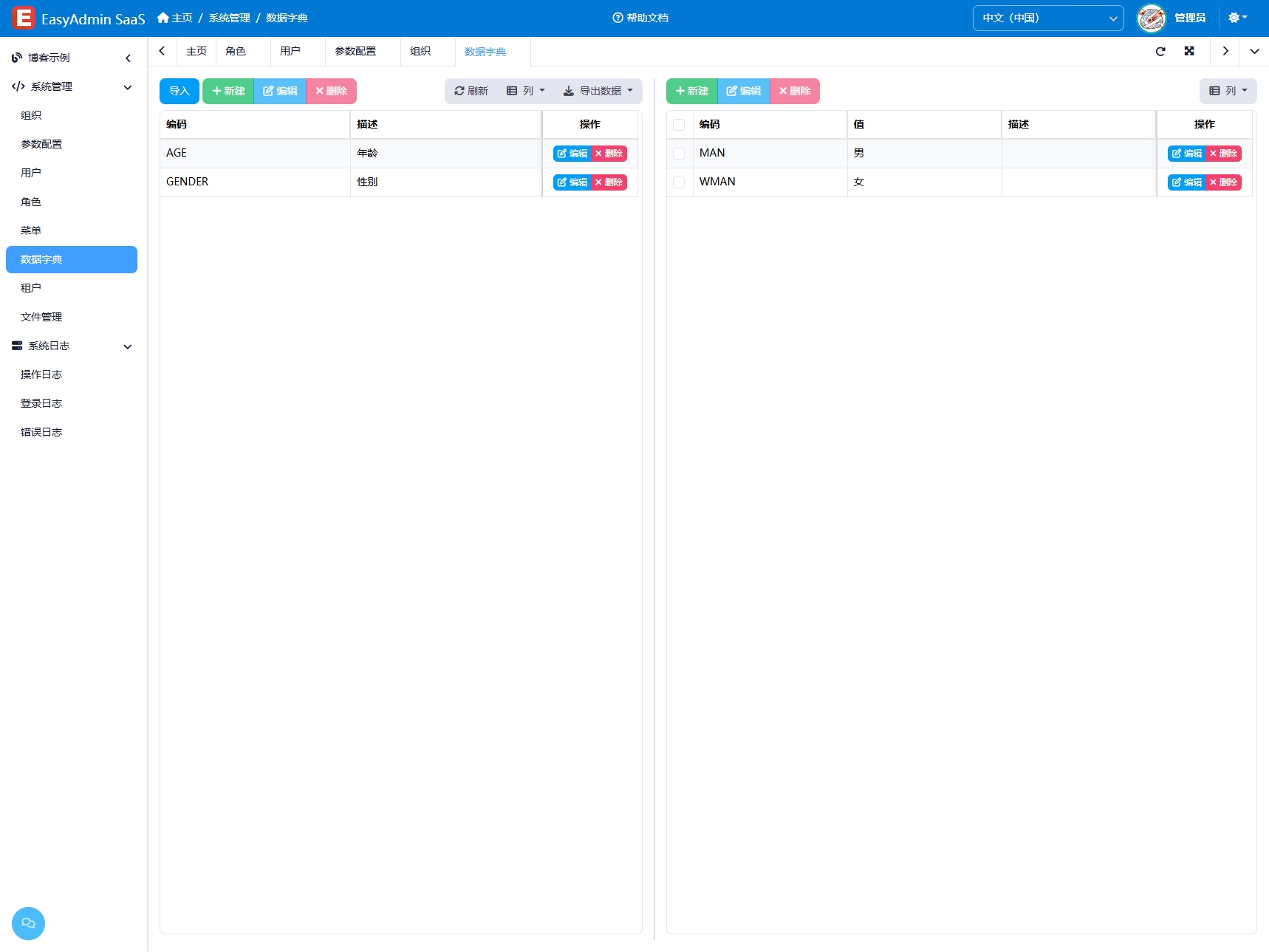
The Data Dictionary module is used to manage universal dictionary data within the system, using a two-level classification structure: the left side shows dictionary categories, and the right side shows dictionary items under the selected category. Dictionary data is commonly used in dropdown selects, multi-selects, cascading selects, and other scenarios, such as order status, user type, and region options. Through dictionary management, enumeration values in business logic can be centrally managed for easier maintenance and extensibility.
Usage
Accessing the Data Dictionary Page
Navigate to "System Management" → "Data Dictionary" in the system navigation bar.
Managing Dictionary Categories
The left-side table displays all top-level dictionary categories:
- Add Category: Click the "Add" button on the left, enter the category name, value, and sort order
- Edit Category: Click the "Edit" button on a row to modify category information
- Delete Category: Select and delete a category, which will also delete all dictionary items under that category
Managing Dictionary Items
The right-side table displays all dictionary items under the currently selected category:
- Add Item: Click the "Add" button on the right, enter the item name, value (stored value), and sort order
- Edit Item: Click the "Edit" button on a row to modify the dictionary item
- Delete Item: Select and delete dictionary items
Import/Export
- Export: Export the current dictionary data as an Excel file
- Import: Upload an Excel file to batch import dictionary data, supporting both new and updated categories and items
Interface Description
Left Dictionary Categories
- Displays only top-level categories (
ParentId = 0) - Click a category row, and the right side automatically loads all dictionary items under that category
Right Dictionary Items
- Displays all items under the currently selected category
- Includes columns such as name, value, sort order, and status
Related Entity
SysDict — Dictionary entity, containing ParentId, Name, Value, Sort, IsEnabled and other fields