 EasyAdminBlazor


Operation Log
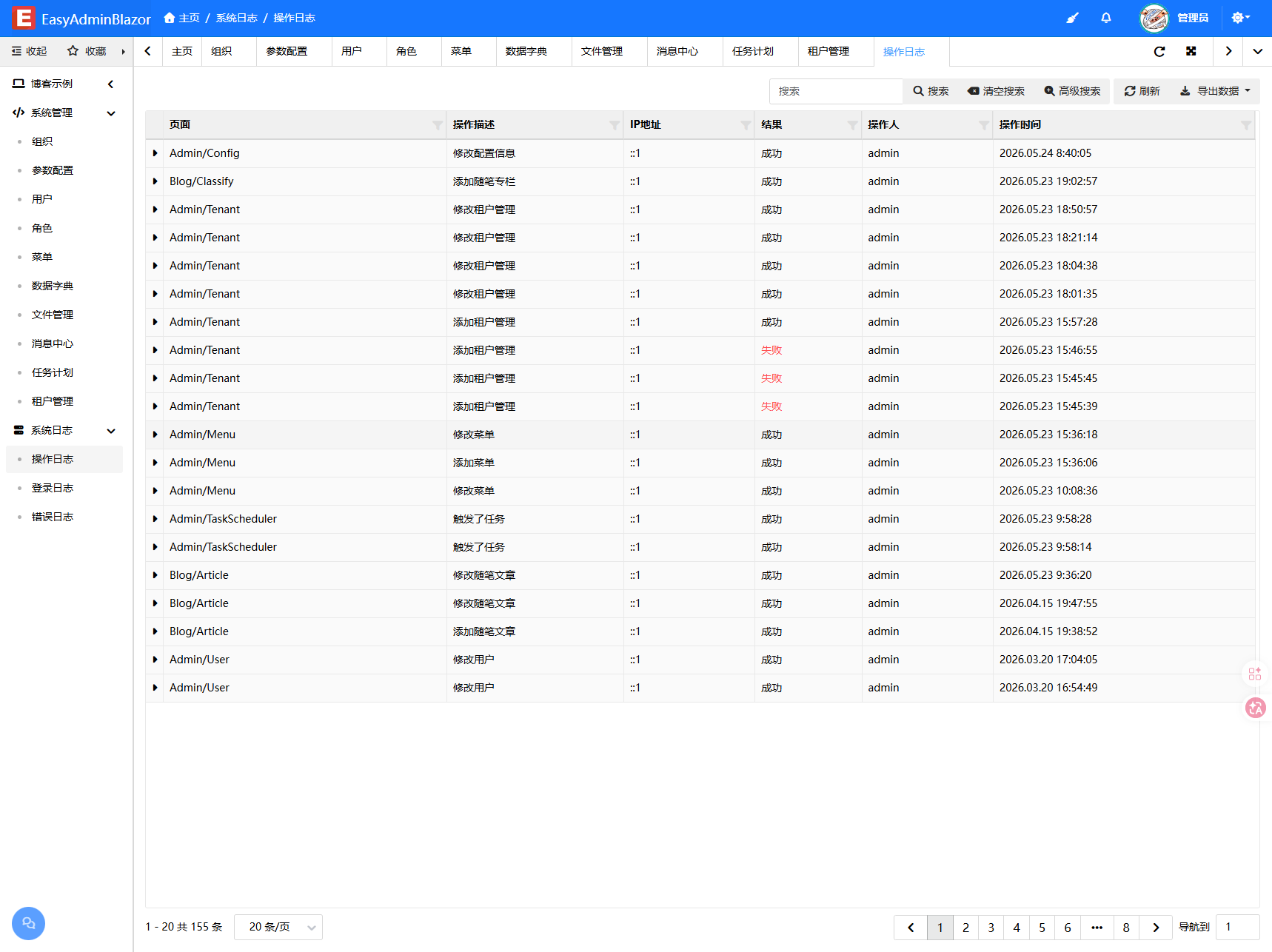
Overview
The Operation Log module records users' key operational actions in the system, such as create, update, delete, export, and more. Each log entry records the operator, operation type, operation target, request parameters, execution result (success/failure), error reason, and client information. Methods that need logging are marked with the [OperationLog] attribute, and the system automatically completes the logging. This module is read-only and does not support add, edit, or delete operations.
Usage
Accessing the Operation Log Page
Navigate to "System Management" → "Operation Log" in the system navigation bar.
Viewing the Log List
The page displays operation logs in a table format. Click on a row to expand and view detailed content such as request parameters and error information.
Filtering Logs
Use the search box or advanced search to filter by operator, operation type, time range, and other criteria.
Exporting Logs
Click the "Export" button to export the current list as an Excel file.
Interface Description
List Columns
- Operator: Username who performed the operation
- Operation Type: Create / Update / Delete / Export, etc.
- Operation Name: Name of the operation function
- Result: Success (green) / Failure (red)
- IP: Source IP of the operation
- Browser: Client browser information
- Operation Time: Time of the operation
Detail Panel
Click on a row to expand and display:
- Request Parameters (
OperationParams): Data submitted with the operation - Failure Reason (
FailureReason): Error information when the operation failed
Related Entity
SysOperationLog — Operation log entity