 EasyAdminBlazor


Online Chat
Overview
The Online Chat module implements in-site instant messaging functionality, supporting real-time message exchange between users, system notification push, and message alerts. It is based on SignalR for real-time message push, with message data stored in the database, supporting offline message retrieval and unread reminders. It relies on Redis for real-time message forwarding and online status management.
Usage
Accessing the Messages Page
Navigate to "Message Management" in the system navigation bar.
Message Category Switching
The page header provides three category tabs:
- Inbox: Received messages
- Outbox: Sent messages
- System Notifications: System-pushed notifications
Viewing Messages
- The message list displays the title, sender/recipient, send time, and read status.
- Click on a message row to expand and view the full content.
- Unread messages are automatically marked as read upon clicking.
Sending a Message
- Click the "Add" button to open the message editor window.
- Fill in the message title and content.
- Select the recipient (via
AdminSelectEntityFilterto search for users). - Click "Save" to send. The message is pushed to the recipient in real-time via SignalR.
Replying to a Message
When viewing a message in the inbox, click the "Reply" button to reply directly to the sender.
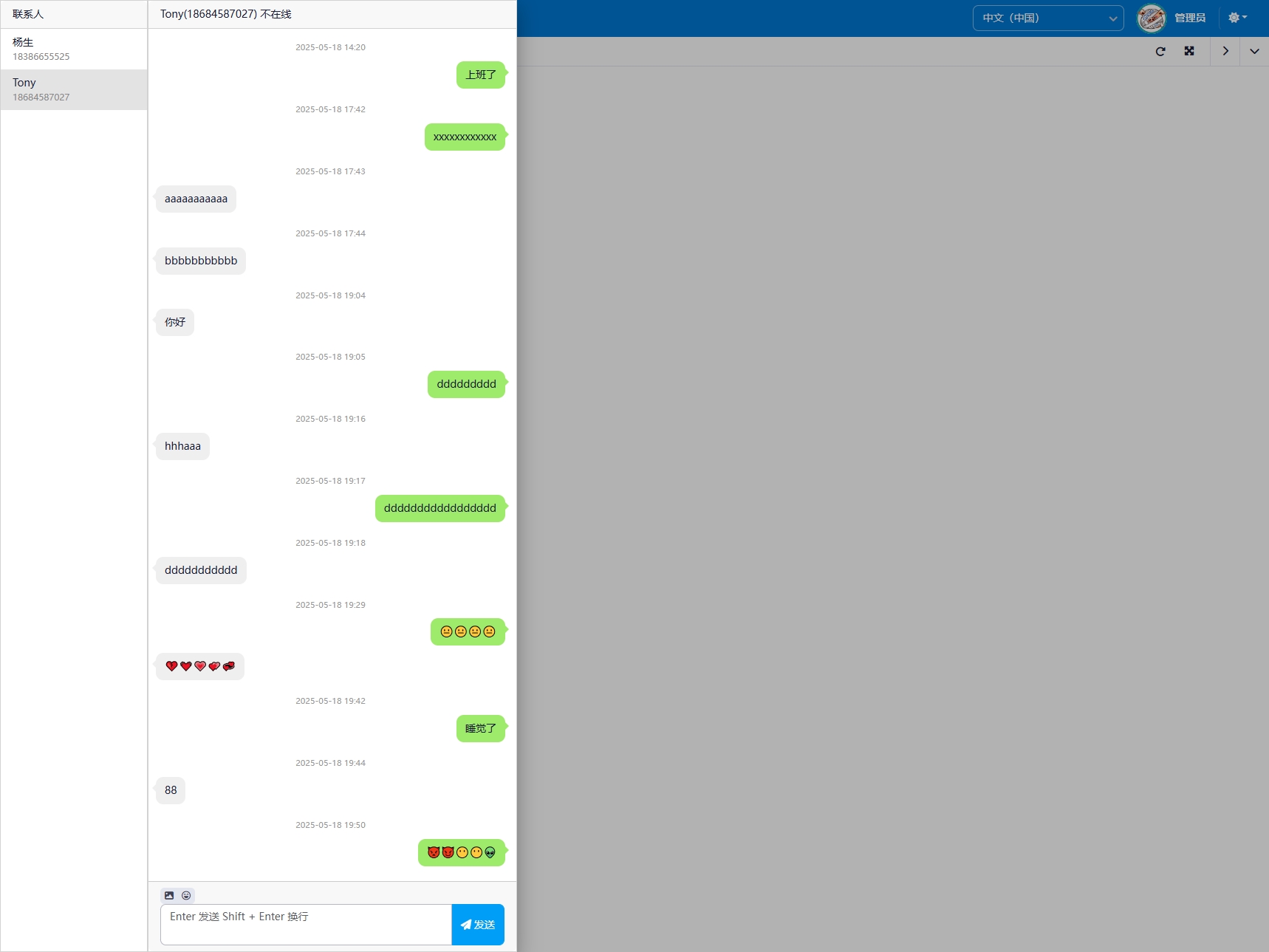
Real-Time Chat (Floating Window)
The chat floating icon (AdminChat component) at the bottom-right of the page provides a more convenient chat experience:
- Click to expand the chat window
- Left side shows the contact list
- Right side shows chat content and input area
- Supports emoji
- Unread message count badge
Interface Description
Message Categories
- Inbox / Outbox / System Notifications — three tabs for switching
Message List
- Title: Message subject
- Sender/Recipient: User name
- Time: Send time
- Status: Read / Unread indicator
Chat Floating Window
- Floating icon at the bottom-right of the page
- Contact list
- Message history
- Text input and send
Related Entities/Services
SysMessage— Message entitySysMessageUser— Message-user association entityAdminMessageService— Message business serviceAdminChatcomponent — Real-time chat UI- SignalR Hub — Real-time push
- Redis — Message queue and online status management