 EasyAdminBlazor


Configuration Management
Overview
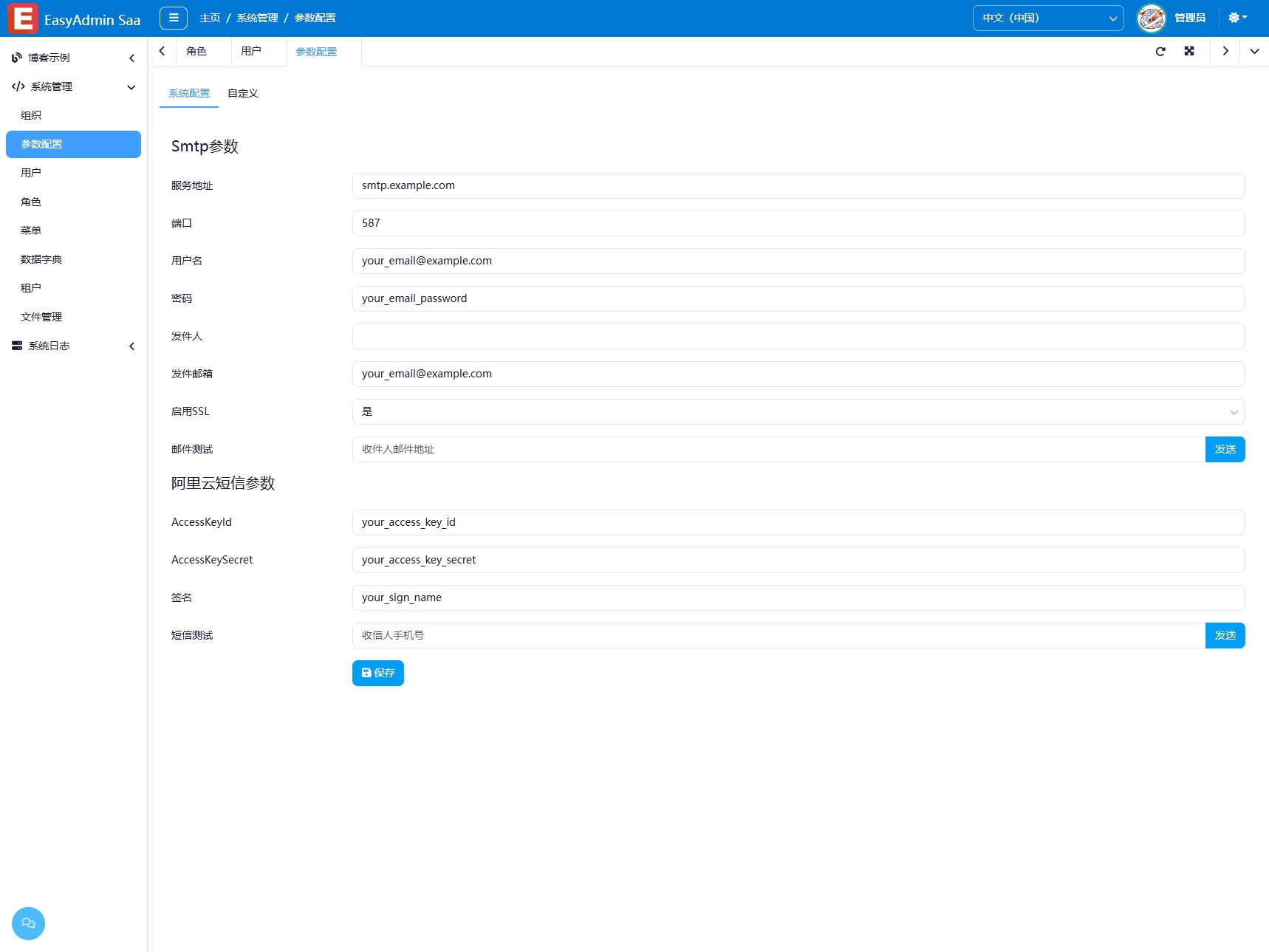
The Configuration Management module is used to manage various configuration parameters required for system operation, stored as key-value pairs. The page is divided into two sections: the upper section provides quick editing of common system parameters, while the lower section is a freely managed table for custom configuration items. Changes take effect immediately without restarting the system.
Usage
Accessing the Configuration Management Page
Navigate to "System Management" → "Configuration Management" in the system navigation bar.
Quick Editing of Common Parameters
The upper part of the page displays common system parameters (such as site name, logo, email settings, etc.). Directly modify the text field content and click "Save Configuration" to apply. The quick editing area is implemented via the AdminDictionaryInput component.
Managing Custom Configuration Items
The lower part of the page is a configuration item table, supporting:
- Add: Click the "Add" button, enter the configuration key (Code), value (Content), and description
- Edit: Click the "Edit" button on a row to modify the configuration item
- Delete: Select the configuration items to delete and click the "Delete" button
- Search: Enter keywords in the search box for quick filtering
Interface Description
System Configuration Area
- Quick edit form for common configurations
- Click the "Save" button to persist changes
Custom Configuration Table
- Code: Configuration key, used by the program to read the configuration
- Content: Configuration value
- Description: Configuration description for understanding the purpose
Related Entities/Services
SysConfig— Configuration entityConfigSettingsCollector— Collects all configuration settingsIEmailService/ISmsService— Email/SMS service parameters configurable in settings